
Why I Built Edit
One client, five apps
If you've booked a session with me lately, you've already used Edit. You just might not have known it. Your gallery, your agreement, your invoice, and the link you booked through all live in one place, and that place is software I built.
Here's why. For years I ran my studio the way most photographers do: a gallery host for the photos, a separate app for invoices, another for contracts, a booking tool, and a stack of spreadsheets holding it all together. Every new client meant typing the same name, email, and phone number into four or five places. It's the equivalent of filling out the same form at every window at the DMV.
None of those tools were built around how a shoot actually flows. A headshot session doesn't care which app the invoice lives in. It goes: book, sign, shoot, pick, retouch, deliver, get paid. I wanted one tool that followed that path from start to finish. I couldn't find it, so I built it.
So what is Edit?
Edit is an all-in-one platform for photographers. It holds custom client galleries and the business side of the job, from booking to contracts, invoices, and payments, all on one project per shoot. In photography, "the edit" is the set of finished images you deliver. Edit is where it lives, along with everything that comes with it.
It's built for photographers specifically. Not "creatives," not event planners, not consultants. I shoot headshots, product, and food here on the Central Coast, and I run TY PIERCE Photography on Edit every single day. If something is clunky, I'm the first one to feel it. If you want the longer version of the story, I wrote it up on the Why Edit page.
Galleries that look like your work
The gallery is the first thing a client sees after the shoot, so it should look like you, not like a template. Edit's client galleries come with a full-screen editor and a live preview. Pick from three themes, 21 font pairings, eight cover layouts, and your own colors, then save the look and reuse it on the next gallery in one tap. Watermarks are printed right into the proof images, exactly as you previewed them.
Proofing without the email thread
This is the part I'm proudest of. Picking photos used to mean a client emailing me a list of file numbers, then their boss emailing a different list. With proofing in Edit:
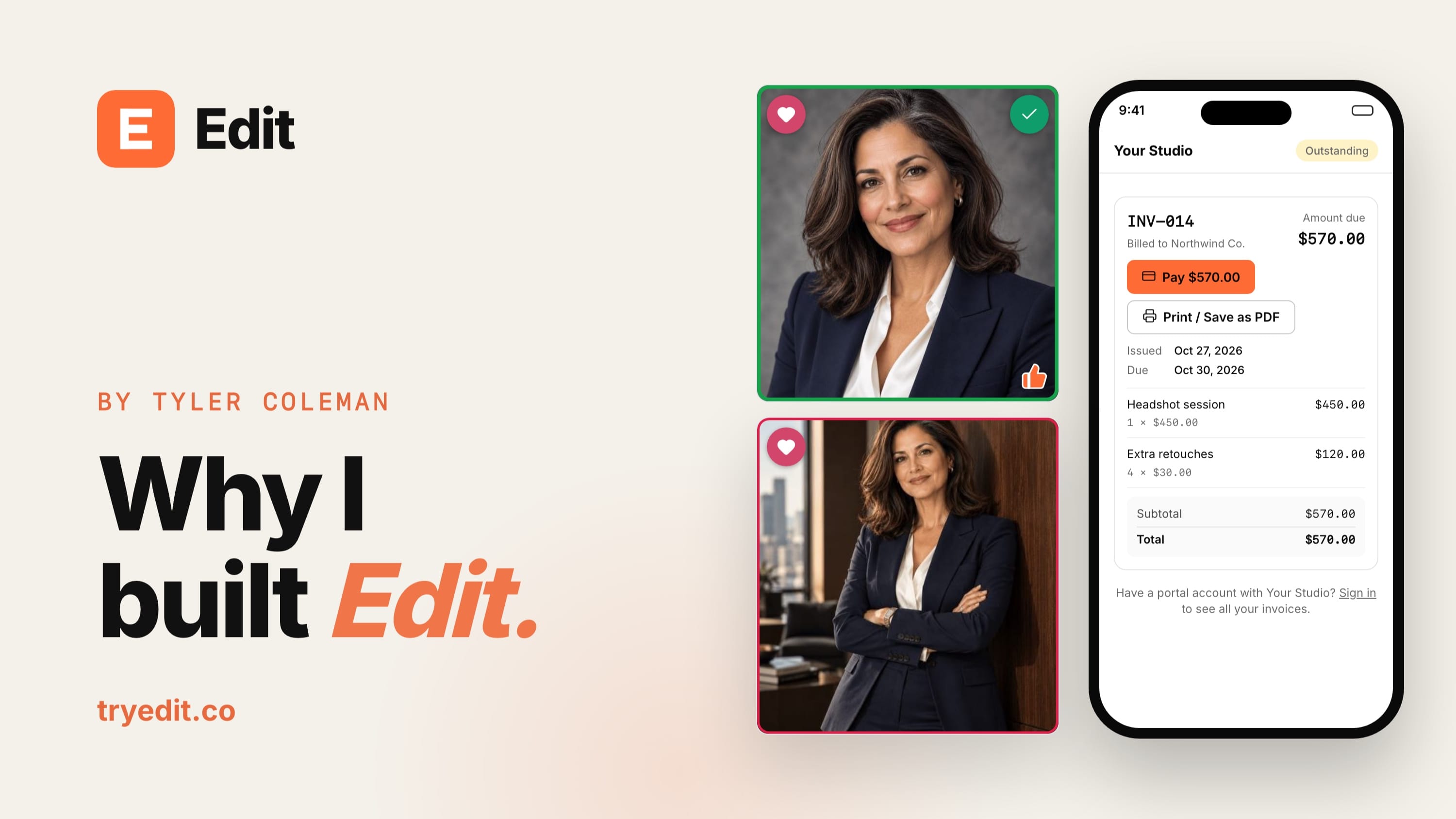
- Clients heart their favorites and pick the ones they want retouched, up to the limit I set
- Their team can add Guest picks in the same gallery
- The Matched filter shows the shots everyone agrees on
- I can flag my own Photographer's picks to guide them through a big gallery
- They submit once, with their retouching notes, and the picks come straight to me
On the Studio and Agency plans, a client can also pay for extra retouches right in the gallery when they love more shots than their package includes.
Selling photos
A gallery can also be a storefront. With selling galleries, buyers add photos to a cart, pay by card, Apple Pay, or Google Pay, and download full-resolution files right away. A public gallery can sell one shoot to many people at once, like a youth sports team or an event. Edit takes 0% of those sales.
The business side, in the same place
Booking
My booking page shows the times I'm open, asks the right questions, and can take a deposit that's credited on the invoice later. The questions change with the kind of shoot. That's smart booking: a headshot client gets asked different things than a restaurant booking a menu shoot, and a person gets different questions than a company. For projects that need a quote first, like a commercial product shoot, clients can request an estimate instead of picking a date.
Contracts
Agreements get signed online from a link. No printing, scanning, or a separate e-signature tool. Several people can sign the same agreement, I counter-sign, and every signed copy is saved as a final record.
Invoices and getting paid
Invoices come straight from the project, with line items, tax, PO numbers, and payment terms like NET 15. Clients pay by card or bank transfer (ACH) through my own Stripe or Square account, and the invoice marks itself paid. Reminders go out on their own, and an optional late fee is added automatically when a payment is late.
For bigger jobs, payment plans split an invoice into a deposit and up to 12 payments. Each payment has its own due date, reminders, and late fee, and clients can pay ahead whenever they like. Refund a payment and it's never chased again.
Usage licensing for commercial work
If you shoot product or food for brands, you know the usage conversation. Is it just for the website? Social? A billboard? For a year, or forever? Exclusive? Most tools leave that to a paragraph in a contract and a reminder in your calendar, if you remember to set one.
Edit handles usage licensing properly (Studio and Agency plans):
- In a Licensing gallery, the client picks the photos, then how they'll use them, for how long, where, and whether it's exclusive. They see the price update as they choose, and paying unlocks the photos.
- I set my own rates for each use, starting from suggested industry rates.
- A license can also go on an estimate or invoice as one line, with the terms shown under the line items.
- Clients get a reminder 60, 30, and 7 days before a license ends, with a Renew button.
- When a license ends, its photos lock until it's renewed, and an exclusive photo can't be licensed to anyone else for the term.
For me, that turns licensing from an awkward email into repeat income that runs on its own.
One place for your client, on your brand
On the Studio and Agency plans, each client gets a client portal with their own login. Their galleries, agreements, invoices, final files, and messages are all in one place, so nobody digs through their inbox for "that link from March." A business client can add more people to their account, like the person who picks photos and the person who pays the bills. On Solo, all of it goes out by secure link instead, with no login to create.
File delivery handles the finished work: any file type, grouped into packages like the full gallery and social crops, with a one-click ZIP. I can hold the files until an invoice is paid, and the client gets an email the moment they're ready.
And it all carries my brand. Every studio gets its own yourstudio.tryedit.co address with its logo and name. On Studio and Agency, you can put the whole thing on your own domain and hide Edit's name entirely, so clients only ever see your studio.
What it costs, and how to try it
Edit has three plans, and every one includes custom galleries plus the business tools:
| Plan | Price | Best for |
|---|---|---|
| Solo | $29 a month | A one-person studio that shares everything by link, 50 GB of storage |
| Studio | $59 a month | Client logins, your own domain, no Edit branding, usage licensing, a team of up to 5, 500 GB |
| Agency | $99 a month | Bigger teams with multiple photographers, up to 10 seats, 2 TB, priority support |
Paying annually saves two months. Edit never takes a cut of your invoices or gallery sales on any plan. Your clients pay through your own Stripe or Square account, so only their standard processing fees apply. The full breakdown is on the pricing page, and every feature is listed on the features page.
My advice if you're curious: don't migrate. Moving years of old galleries is a headache for very little payoff. Leave them where they are and run your next shoot through Edit instead. Add the client, send the agreement, deliver the gallery, send the invoice, all from one project. Every plan is free for 60 days, no credit card needed, and you can switch plans during the trial to see what each one does.
I built Edit because I needed it. If you shoot for a living, I think you'll feel the difference on the first job. And if you're one of my clients, now you know why your gallery looks the way it does.